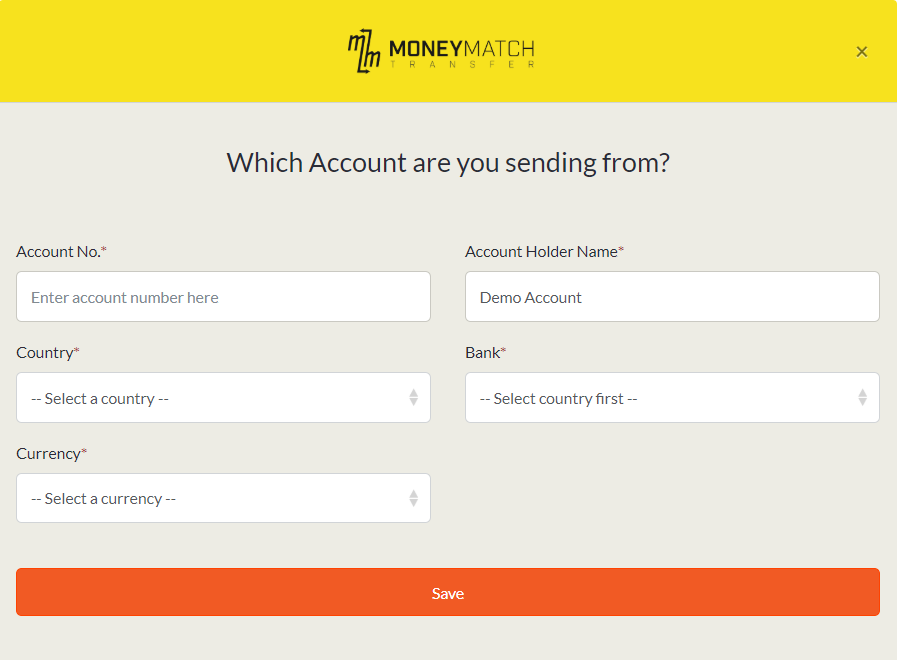
Here is a step by step guide on how to add sender bank accounts!
What type of user are you?
Personal Users
You can add new Sender bank accounts on the web browser or MoneyMatch App.
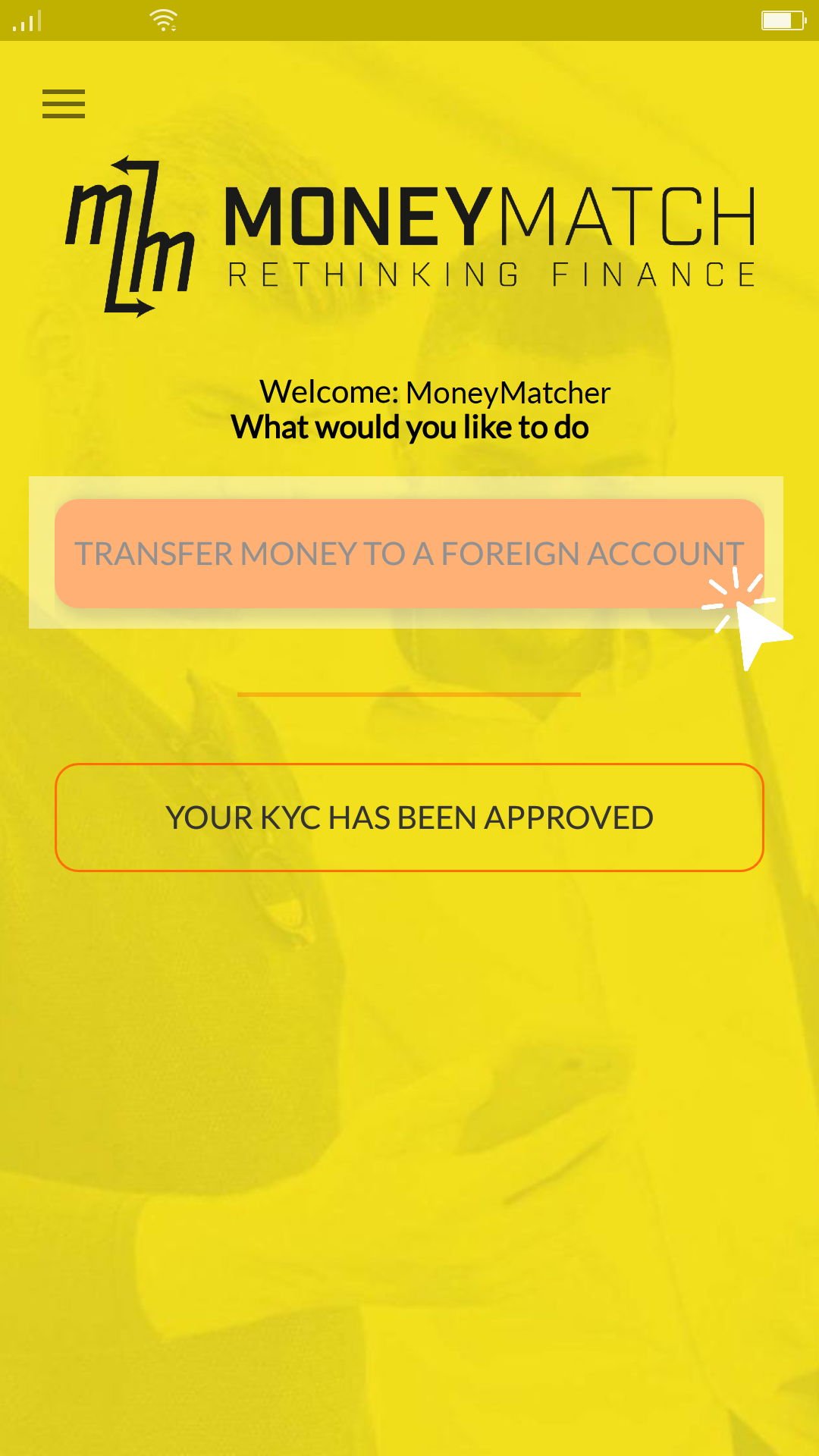
- 1. Select "Transfer Money to A Foreign Account"
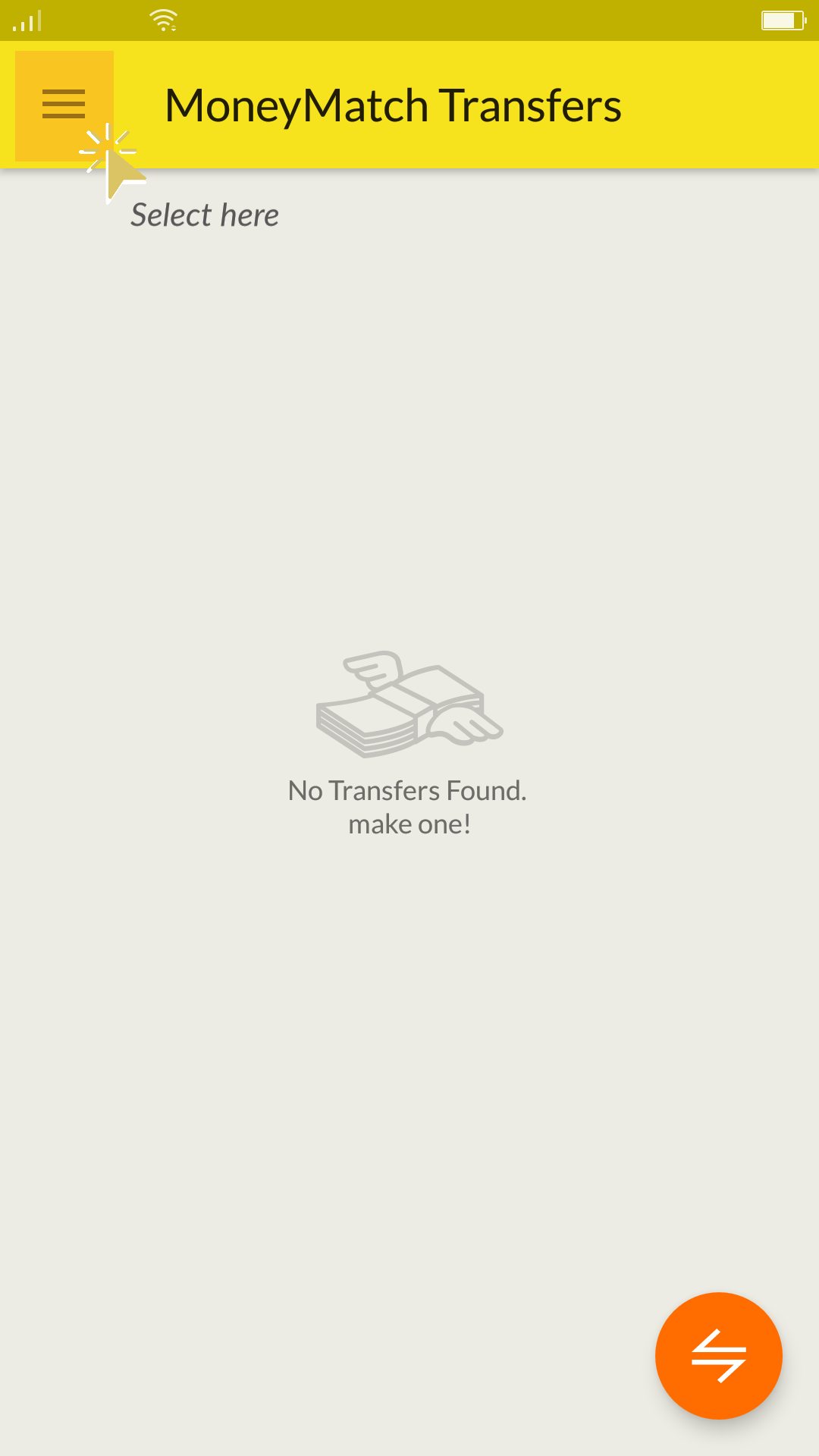
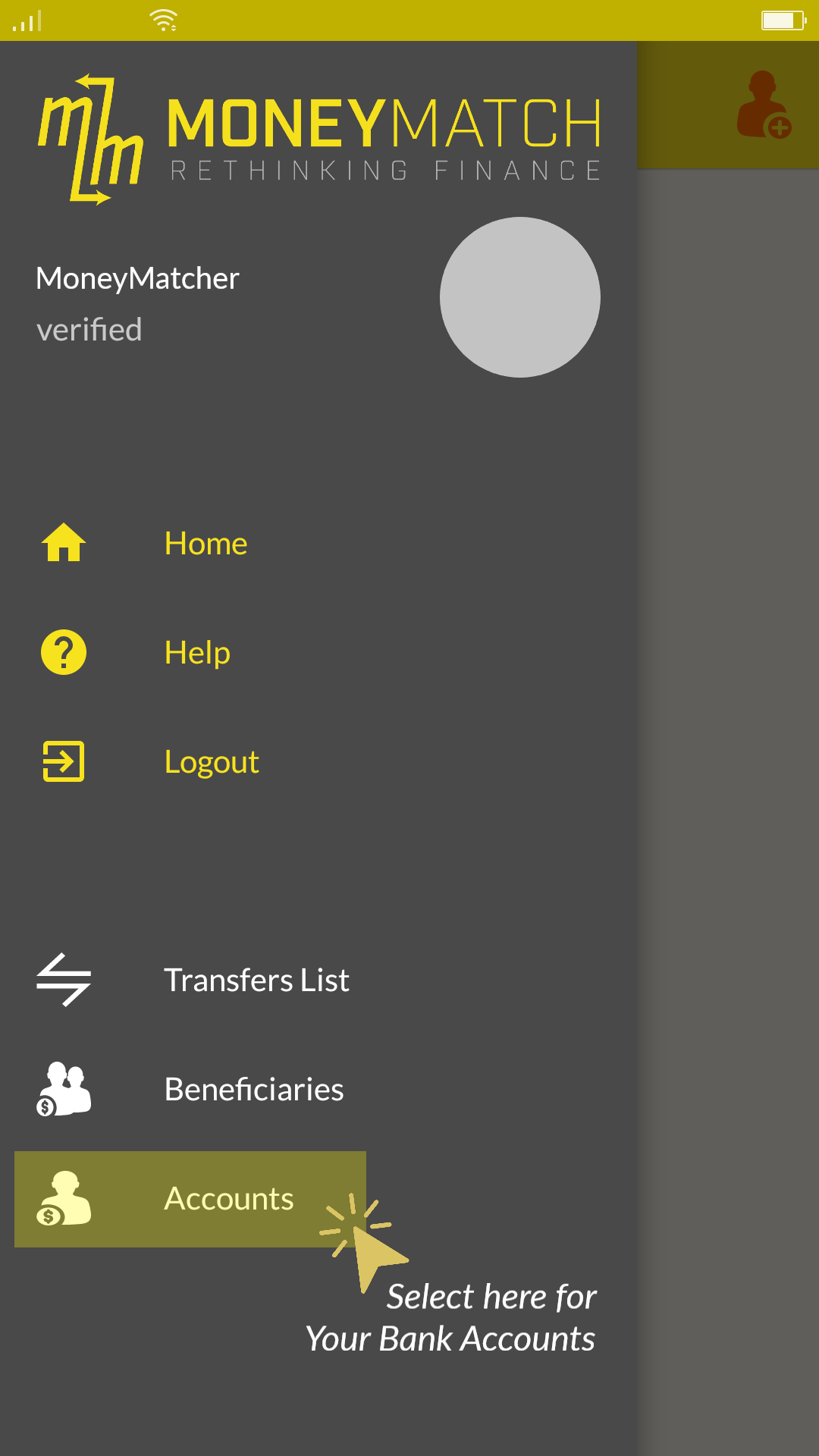
- 2. Select the "Menu icon" and select "Accounts"
- 3. Click on "+" on the top right corner to add the new account!
Please ensure that you are sending from your Personal Bank Account that is registered under your Personal name only.
Kindly note that third-party transfers are strictly prohibited on our platform.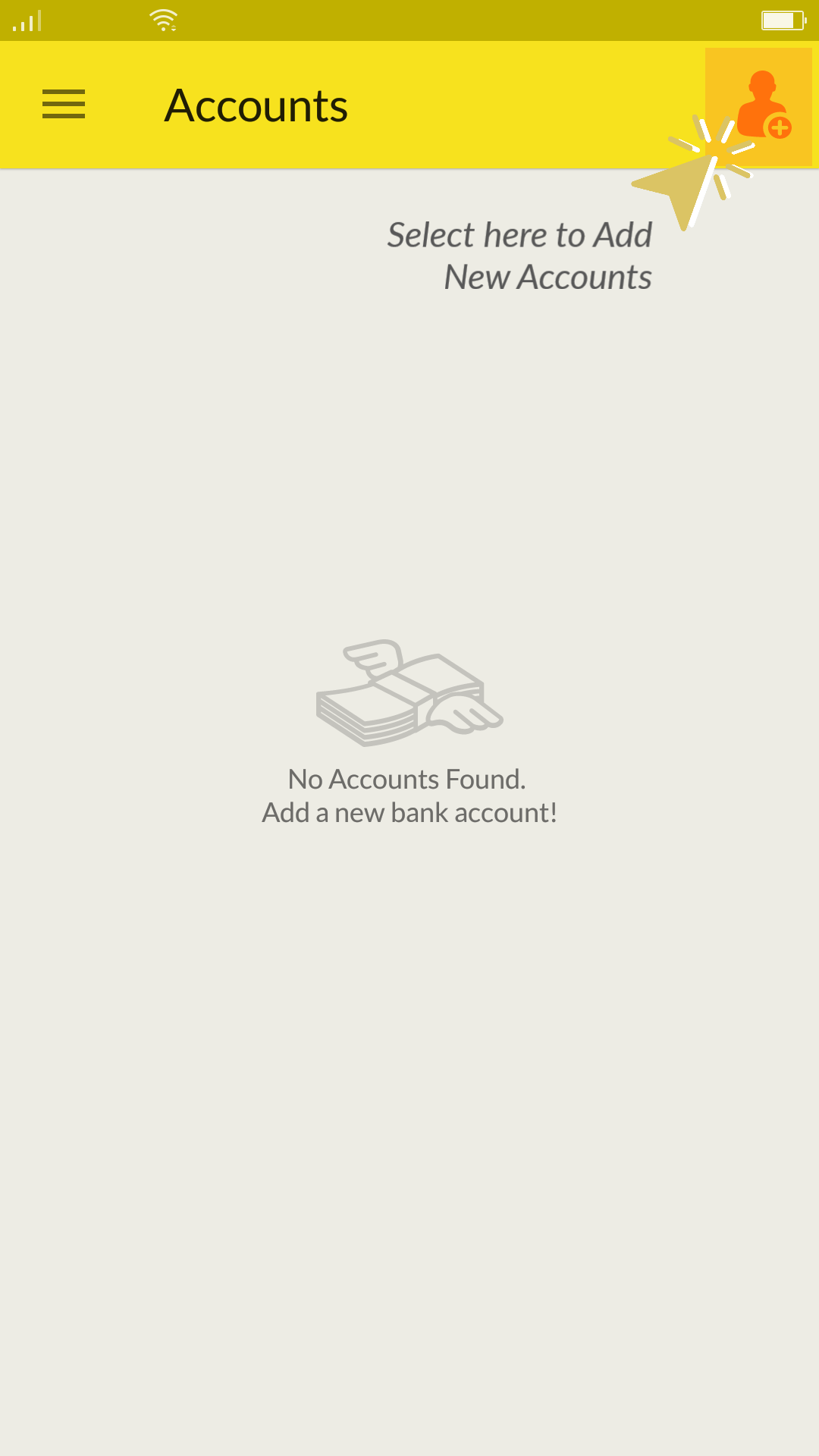
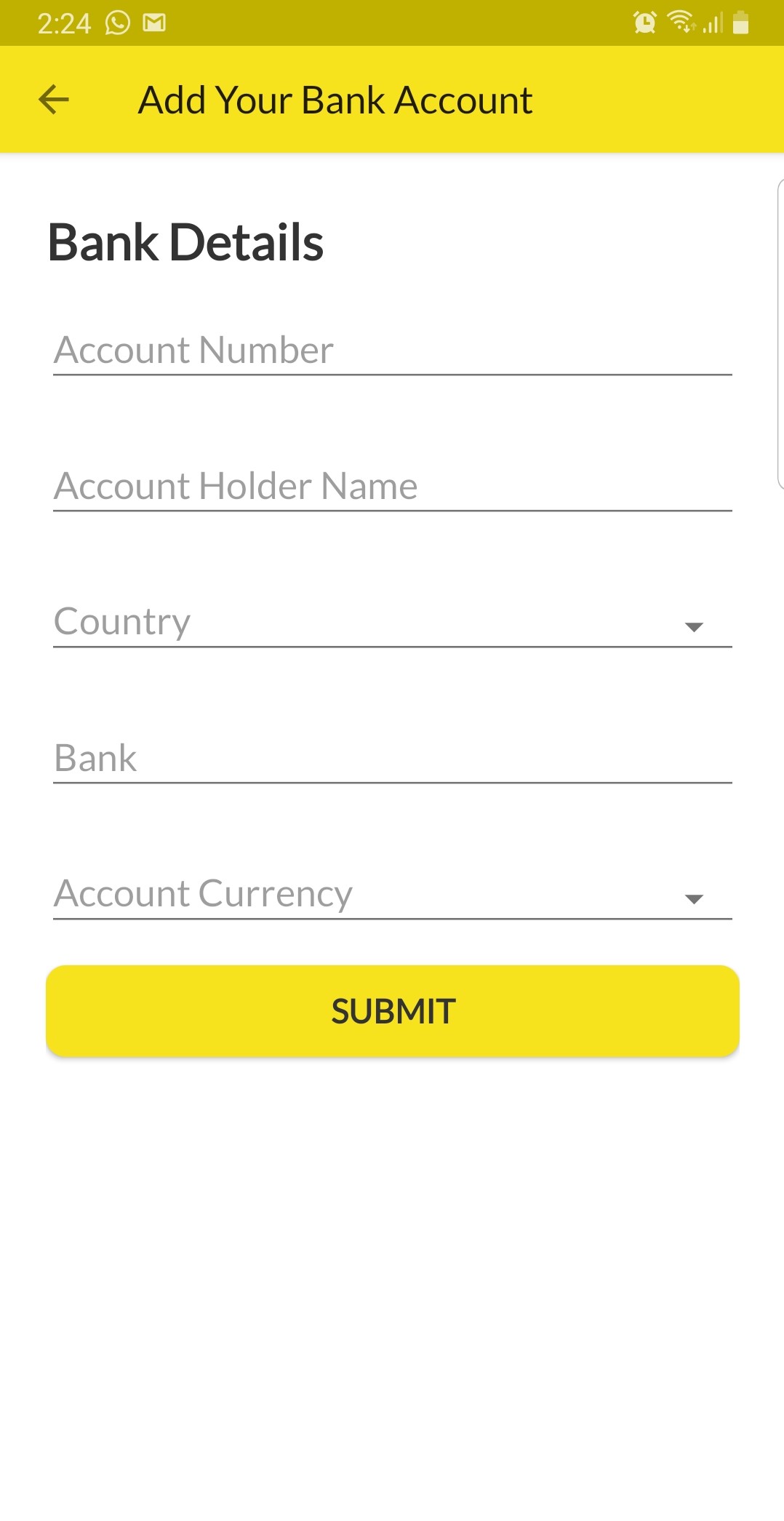
- 4. Fill in the required details and select "Submit".
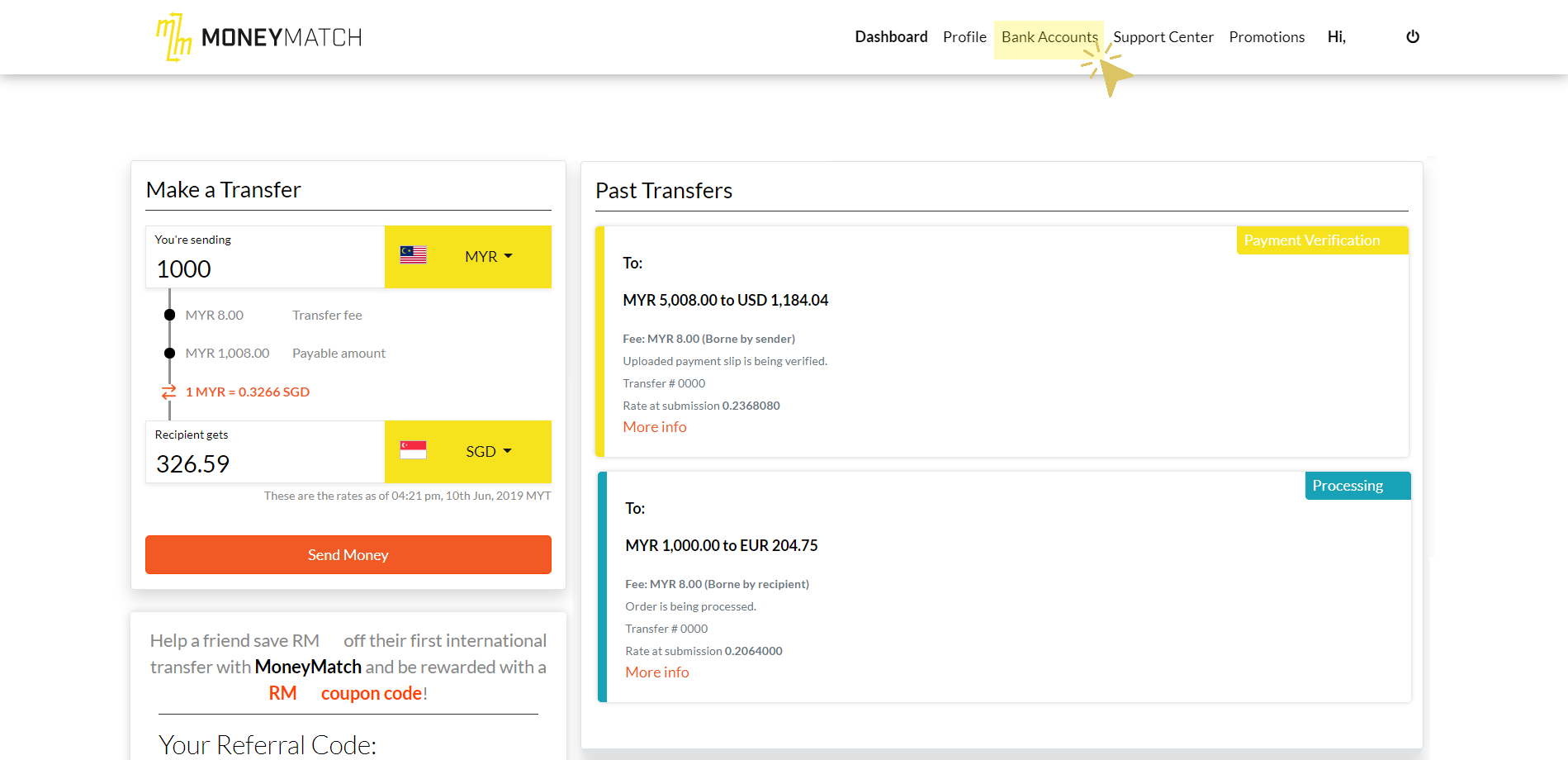
- 1. Select "Bank Accounts" in the top part of your dashboard
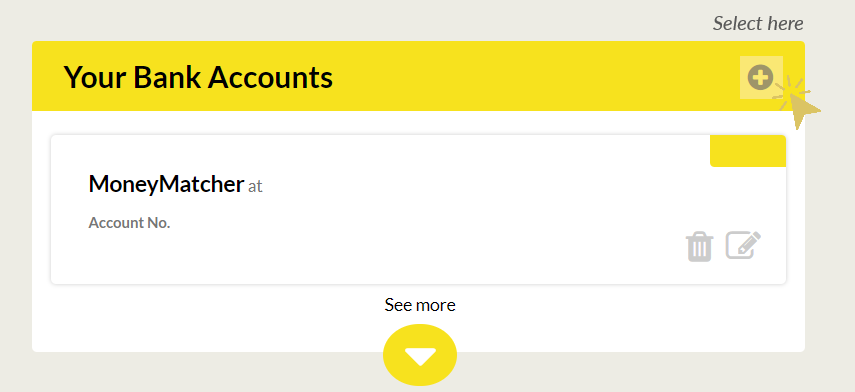
- 2. Select "+" icon in Your Bank Accounts to add the new account
Please ensure that you are sending from your Personal Bank Account that is registered under your Personal name only.
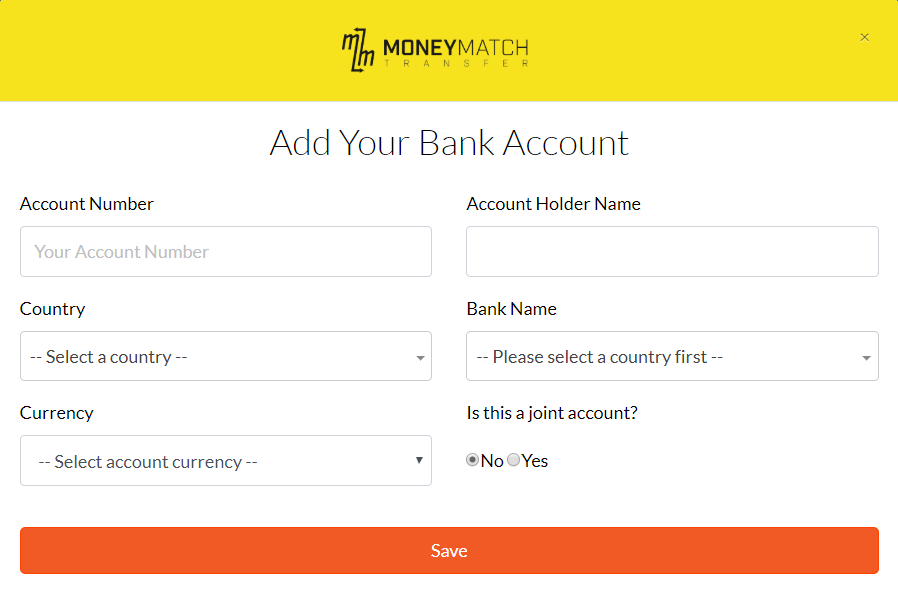
Kindly note that third-party transfers are strictly prohibited on our platform. - 3. Fill in the required details and save.
Business Users
You can add new Sender bank accounts on the web browser.
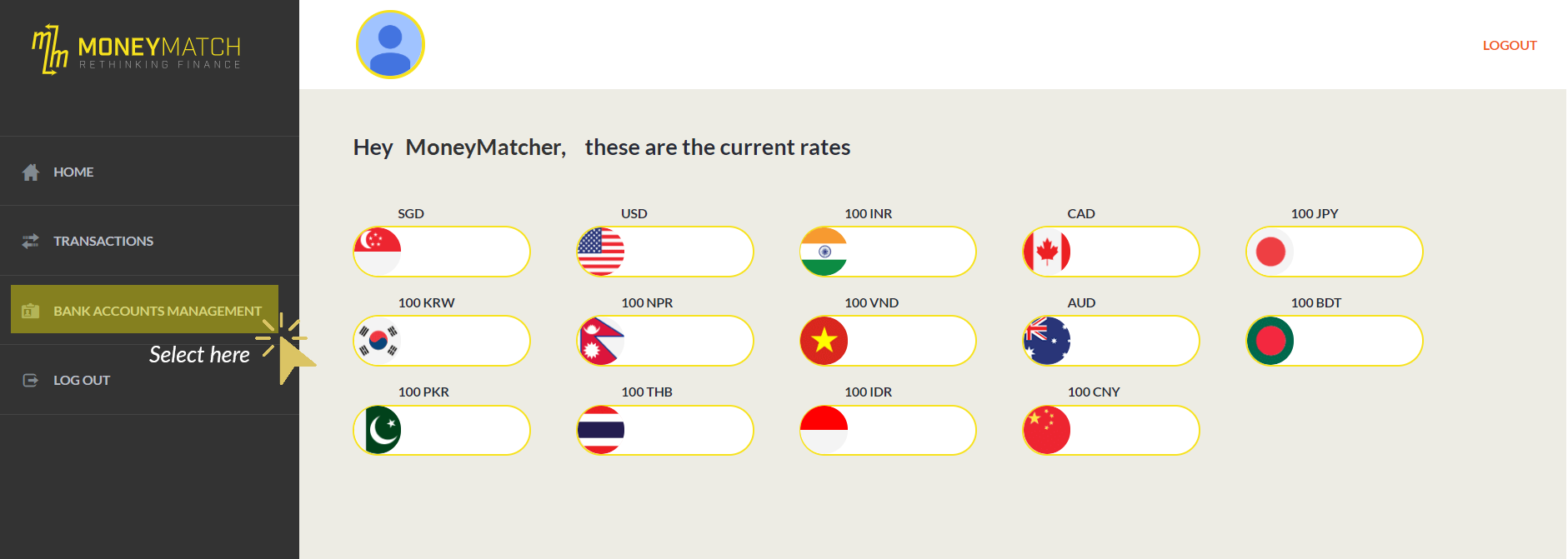
- 1. Select "Bank Accounts Management" located on the left part of your dashboard
- 2. Select "Bank Accounts" and add the new account
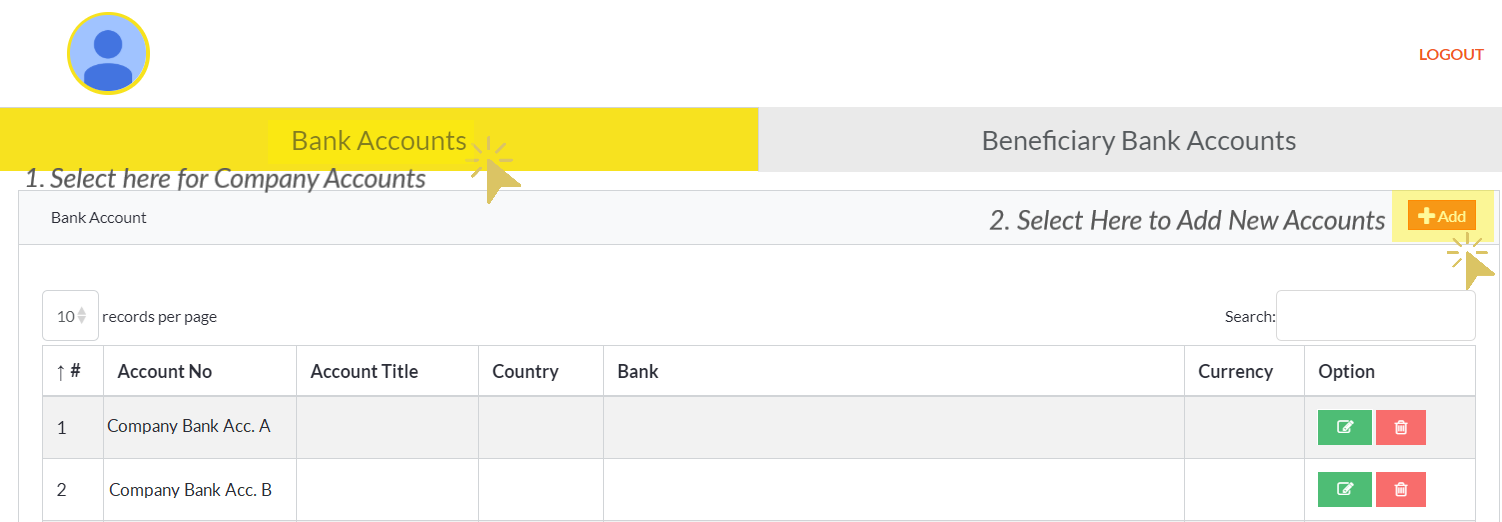
Please ensure that you are sending from your Company Bank Account that is registered under your company name only.
Kindly note that third-party transfers are strictly prohibited on our platform. - 3. Fill in the required details and save.